Getting started
The fastest way to see the kit is to run the bundled demo, then scaffold a project from a template. Both assume Python 3.10 or newer, uv, access to the ImFusion package index, and valid ImFusion Suite and Web SDK licenses.
Run the bundled demo
From a source checkout:
That starts the packaged demo with a small bundled NIfTI image at
http://127.0.0.1:8000. Add --workflow to launch the guided, multi-step demo
instead.
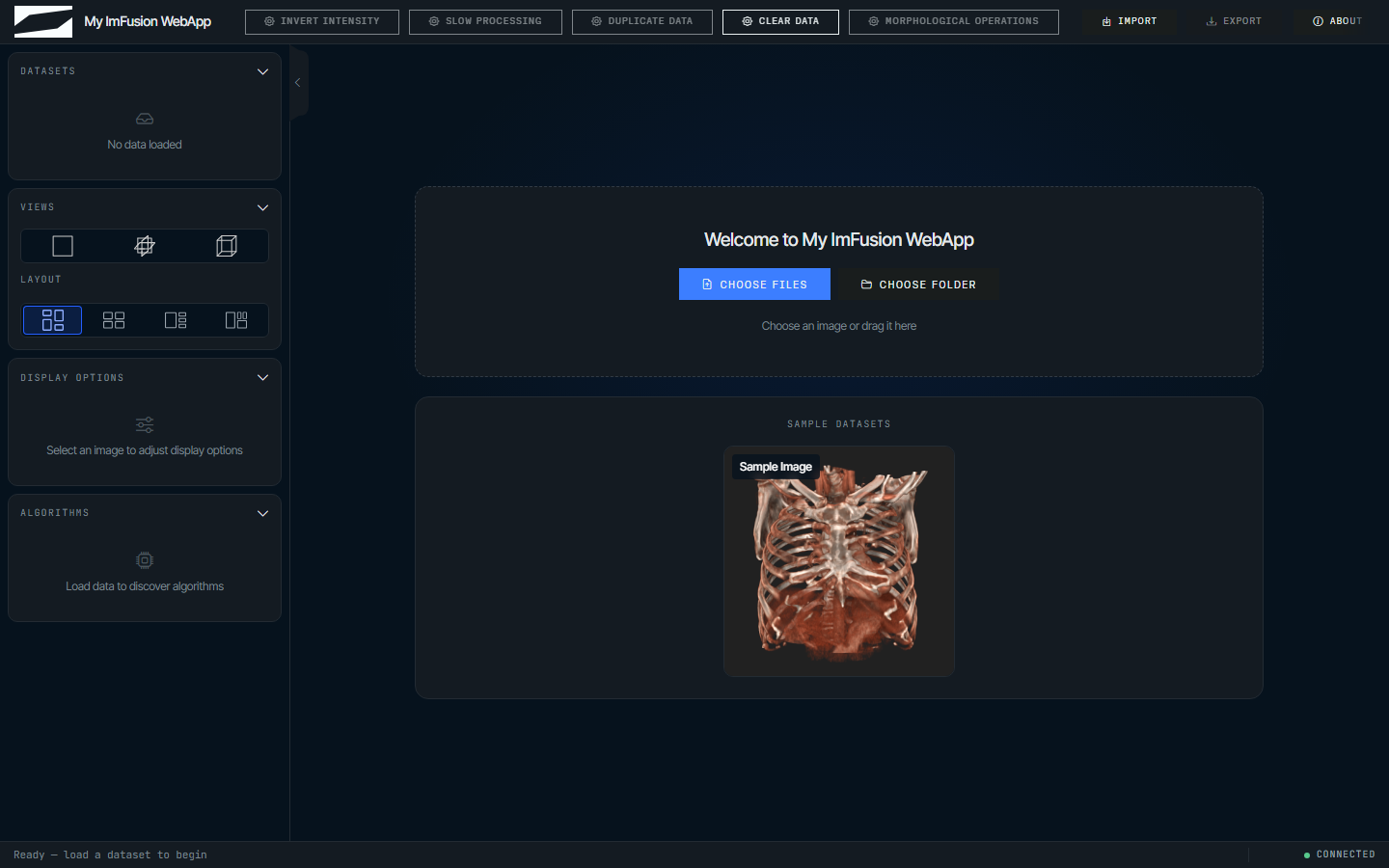
The checkout includes the compiled browser client, so Node.js and npm are not
needed to run it. The ImFusion package index is already configured in
pyproject.toml, which is why uv sync resolves the SDK without further
arguments.
You can also start the same demo as a Python module:
ImFusionWebApp.run() binds to localhost by default, while the CLI demo and
the generated templates bind explicitly to 127.0.0.1, so use whichever address
the command you started prints.
Install a release
Releases are published to PyPI, while the ImFusion SDK they depend on stays on the ImFusion package index, so an install outside a checkout has to name both:
uv pip install imfusion-webappkit --extra-index-url https://pypi.imfusion.com/simple
imfusion-webappkit demo
In a uv project, declaring the index in pyproject.toml is easier than
repeating it on every command:
[[tool.uv.index]]
name = "imfusion"
url = "https://pypi.imfusion.com/simple"

[tool.uv.sources]
imfusion-sdk = { index = "imfusion" }
imfusion-sdk-dicom = { index = "imfusion" }
imfusion-sdk-registration = { index = "imfusion" }
The wheel includes the compiled browser client, so installing and running a release does not require Node.js or npm.
Start your own
The generated project runs as soon as it is created, with app.py holding the
application, algorithm.py the processing function you replace, and AGENTS.md
the session, threading, and geometry conventions that coding agents need.
The default template exposes a single action, while --template workflow,
--template monai, and --template chat pick the other shapes, and
--theme gray selects the gray theme instead of the default dark one. The
command-line setup page lists the flags and what each template writes.
When init runs from an editable WebAppKit source checkout, the generated
pyproject.toml points uv at that checkout. Released installations use the
normal imfusion-webappkit package dependency.
Sessions, export, and sample data
Each browser connection gets an isolated WebApplicationController, data model,
job state, and optional workflow, and the app argument injected into a
callback is that controller rather than the server host. Add seed data to
webapp.initial_data before run() when every new browser session should start
with the same datasets.
The header export button supports IMF, NIfTI (.nii.gz), and DICOM by default.
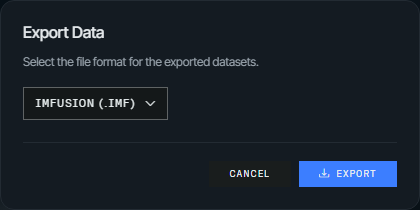
Restrict it with the application-level export_formats option:
Add sample datasets
Offer datasets on the empty viewer's landing page so demos and tests can load them with one click:
from imfusion_webappkit import ImFusionWebApp, SampleDataset

webapp = ImFusionWebApp(
    sample_datasets=[
        SampleDataset("CT", "samples/ct.imf", "samples/ct-preview.png"),
        SampleDataset("MR", "samples/mr.nii.gz"),
    ]
)

Dataset and thumbnail paths may be absolute or relative to the process working directory. A thumbnail is optional; without one, the card shows the dataset name centered in the square. Files are validated when the application is created and served to the browser only through dedicated sample-dataset URLs.
Develop the browser client
To modify or rebuild the client, install Node.js 18 or newer and see Development for hot reload and test commands.